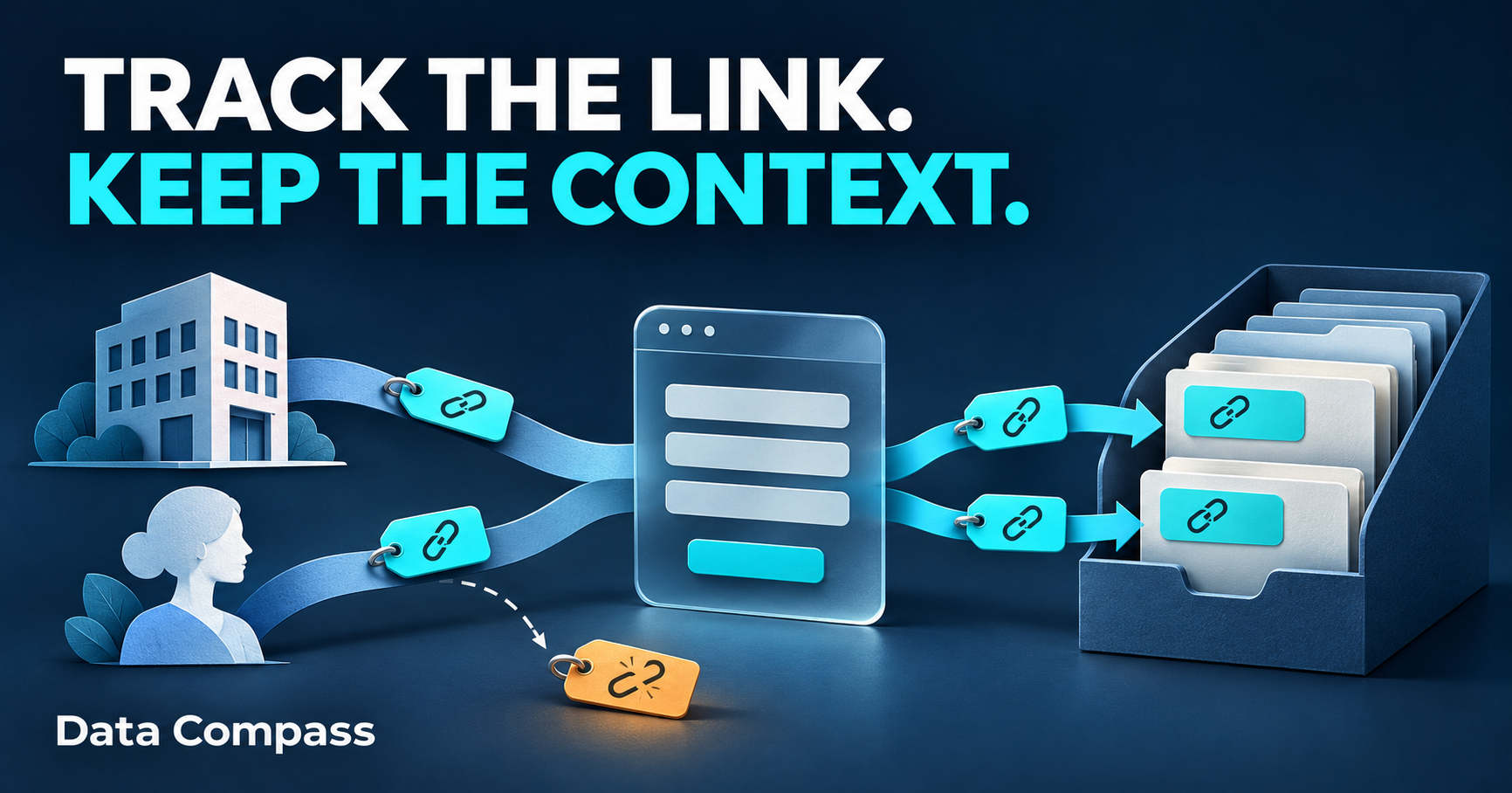
Your company page shares an offer. A director shares it from their personal profile. A partner includes it in a newsletter. All three send people to the same page.
At the end of the campaign, the report shows social traffic, email visits and a handful of enquiries.
Then someone asks: which activity brought the enquiries worth following up?
If the links were not labelled distinctly, or the campaign information never reached the enquiry records, the answer may already be out of reach.
That is why UTM tracking still matters. The useful detail starts with the link—but it needs to survive beyond the click.
An old idea that still answers a useful question
UTM parameters are labels added to a web address. They help identify the platform, channel, campaign and particular link associated with an incoming visit.
They are hardly new. Yet the underlying reporting problem remains: a system cannot reliably distinguish activities that were recorded in the same way.
Knowing that a visit came from LinkedIn is useful. Knowing whether it came through your company post, a personal post or a partner's campaign is a more specific question.
You do not need dozens of labels. You need the distinctions that support a decision: which placements deserve more attention, which messages attract suitable enquiries, and what you should repeat next time.
Same platform. Different activity. Different link.
Keep the platform and campaign consistent, then identify each placement separately. A practical convention uses these fields:
| Parameter | Purpose | Illustrative value |
|---|---|---|
| utm_source | Platform or sender | |
| utm_medium | Channel | social |
| utm_campaign | Readable campaign name | black_friday_2026 |
| utm_content | Specific placement or asset | company_linkedin_offer_v1 |
| utm_id | Stable campaign identifier | bf_2026_01 |
In this illustrative example, the company link uses utm_content=company_linkedin_offer_v1. The personal link uses utm_content=personal_linkedin_offer_v1. Both retain the same source, medium, campaign and campaign ID.
That gives you a way to compare the two links without pretending they are different platforms. The same principle applies to an email's main button and a secondary text link.
A copied link keeps its original label. If someone reposts the company link from a personal profile, its tags still describe the company placement. Give people the correct link before distribution; UTMs cannot verify who actually shared it.
Agree lowercase spelling and a consistent naming pattern. Keep a simple shared link register so colleagues and agencies do not invent slightly different campaign names.
The detail can disappear before the form is submitted
A visitor clicks your tagged post, reads the landing page, visits another page and requests a download. What campaign information arrives with that request?
If the form only collects name and email, and nothing else captures the campaign context, your CRM may record the person without the detail needed to connect that submission to the link.
Hidden form fields are one option. These carry information alongside the visible answers without asking visitors to type it. HubSpot, for example, documents storing URL parameters in contact properties through hidden fields. Other systems can capture attribution natively or through an integration.
The question is whether the chosen method works across the actual journey. If it reads only the submission page's URL, what happens when the visitor has navigated away from the original tagged address?
Check that the values remain available where your consent settings permit, that they enter the intended fields, and that they appear on the saved record. A successful form message does not establish any of those things.
A contact's latest campaign is not their complete history
Suppose someone downloads a guide through an email in November, then requests a conversation after clicking a social post in December.
If both actions update the same five contact fields, the latest values may replace the earlier ones. Some integrations omit blank fields, which can leave older values behind. Neither behaviour automatically creates a reliable history of each submission.
If you need to know which campaign accompanied each enquiry or download, retain that submission's campaign context with its own record. Keep original acquisition, the latest interaction and subsequent influence distinguishable.
GA4 also provides different views of acquisition: first-user information, session information and attribution for key events. Those views answer different questions. A first-user source is not automatically the campaign associated with a later form submission.
Before comparing your CRM with an analytics report, agree which question each is answering.
What the extra detail lets you investigate
Consider an illustrative campaign. The company post brings 40 recorded visits and four enquiries. The personal post brings 20 visits and three enquiries.
The company placement produced more enquiries. The personal placement had a higher observed enquiry rate: 15% compared with 10%.
That is a useful starting point, rather than a reason to declare a winner. Seven enquiries are a small sample. Were they suitable? Have they had enough time to become customers? Were the two audiences comparable?
The next useful comparison might be cost per qualified opportunity or the value of the customers acquired. Those answers require agreed definitions, appropriate costs and connected sales records.
UTMs supply context for the investigation. They do not prove that a post caused a sale or reveal every conversation and interaction along the way.
Before Black Friday, follow one link all the way through
Black Friday falls on 27 November 2026. Before the campaign goes out, make these six checks:
- Agree the campaign name and ID. Reuse them consistently across the activity being evaluated.
- Separate the placements that matter. Company posts, personal posts, email buttons and partner links should be distinguishable where you intend to compare them.
- Open the final distributed link. Check the real destination, including any shortener or redirect.
- Follow the normal visitor journey. Move between pages before reaching the form. Check what happens under the site's relevant consent choices.
- Inspect one clearly identified test submission. Confirm the intended values reached the saved record and the relevant analytics view. Exclude the test from genuine enquiry totals.
- Decide how outcomes will be judged. A download, an enquiry, a suitable opportunity and a customer are different results.
Keep names, email addresses and other personal details out of campaign labels. Do not put campaign UTMs on ordinary links between your own website pages; those links should not introduce a new external campaign label.
If Black Friday exposes a gap, address it before Christmas
If the review leaves you unable to distinguish the activities you wanted to compare, use that finding to improve the Christmas campaign.
First establish what can still be recovered from existing analytics, form records, CRM history and the links that were distributed. Label unknowns honestly. A new tagging convention cannot recreate information that was never captured.
Then fix the specific gap: inconsistent names, reused placement links, values lost during navigation, or campaign fields missing from the submission.
You do not need a bigger dashboard to solve a broken handoff. You need a consistent link, a working capture process and a clear definition of the outcome you want to understand.
Before the next campaign, ask one practical question: if this link produces a worthwhile enquiry, will we be able to recognise where it came from?
Want clearer answers from your campaign reporting?
Data Compass provides GA4 and Google Tag Manager setup and reviews. We can discuss how your existing information could support more useful campaign reporting.
to discuss your question and the support you need.
Sources
- Google Analytics — Collect campaign data with custom URLs
- HubSpot — Set property values with hidden form fields
- Google Analytics — Scopes of traffic-source dimensions
- Shopify — Black Friday timeline